
 1240
 860
 415





Top tappers
A live race for who taps the most. Your viewers will go for the #1 spot.
New: version 0.3.26 for Mac and Windows
Effects your viewers feel every time they send a gift. One desktop app for Mac and Windows, no OBS needed.
Free download for Mac and Windows. Try Pro free for 7 days in the app, no card needed.
CieloLive is growing fast. We're adding new effects and refining the app all the time.
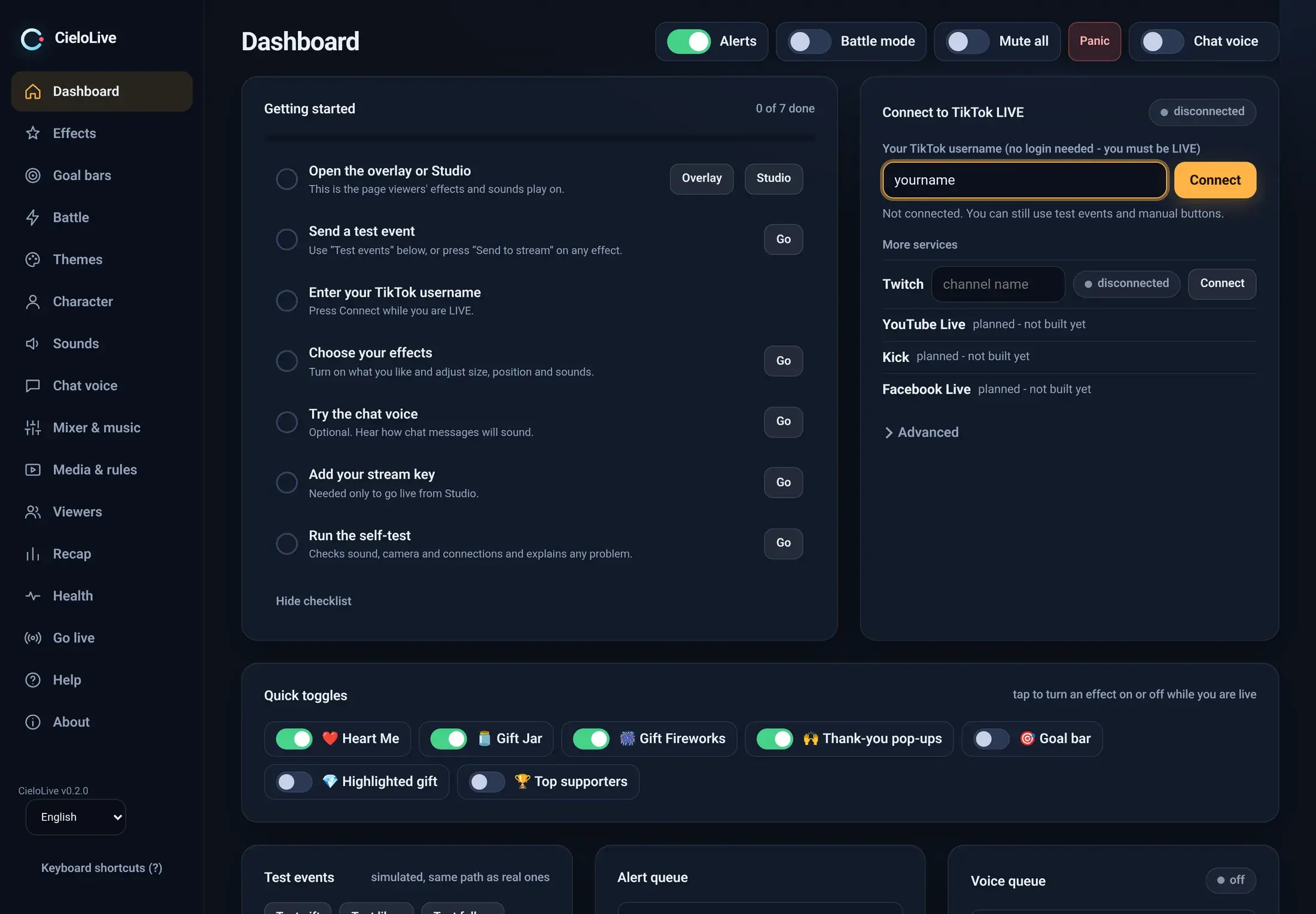
Everything your LIVE needs
A sound for every gift, follow and tap. Original, stream-safe.
Chat and thank-yous read aloud, with filters and a PANIC button.
Gift jar, goal bars, top gifters, fireworks and thank-you pop-ups.
Mute, skip and test effects from your phone while you are live.
Paste it into LIVE Studio once. It never changes.
Free for Mac and Windows
A gift jar that fills toward your goal, chat read aloud, and gift sounds. Free download for Mac and Windows at cielolive.com.

Free
$0
No card needed
Base
$9/mo
For the everyday streamer
Pro
$14/mo
For streamers going all in
Character
+$6/mo
Add-on for Base, included in Pro
CieloLive runs on your Mac or Windows computer
Open cielolive.com on your computer to download it. Save the link for later:
cielolive.com
Published by Cielo Hermosa, LLC.
New Leaderboards
Turn taps and gifts into a friendly game, and give your top fans their moment.
A live race for who taps the most. Your viewers will go for the #1 spot.

Your biggest gifters, crowned on screen in a look that fits your stream.
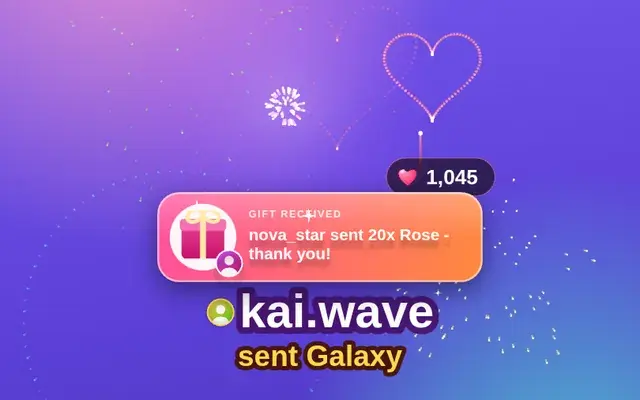
The biggest gift takes center stage, with a NEW RECORD moment when someone beats it.
New in CieloLive
The newest things CieloLive can do. The overlay link you already pasted keeps working.
Play your clips on stream with a tap, or let your viewers set them off with gifts and follows.
Your character waves, dances and reacts to your viewers.
New firework styles with realistic sound, sized to each gift.
Fills up with the real gifts you get and celebrates when it's full.
Effects sized for TikTok on a phone screen, so nothing gets cut off.
CieloLive now runs on Windows 10 and 11 too.
On stream
Gifts, follows and taps light up your LIVE, in your style.


TikTok LIVE Studio
CieloLive gives you one secure link that stays the same every time you go live. Add it once and you're set.
Chat voice
CieloLive reads chat and thank-yous aloud, and your viewers hear it too.
Battle mode
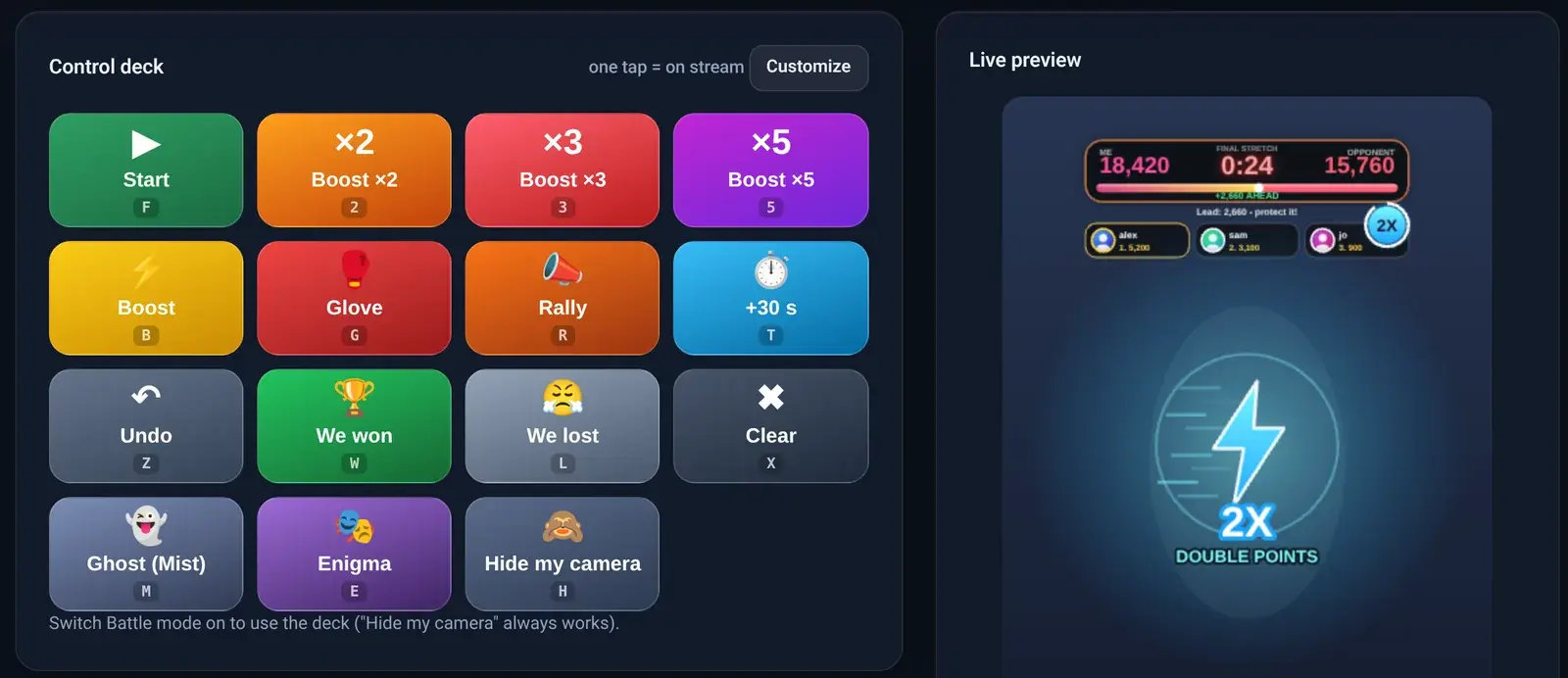
Keep score, rally your team and crown your MVP, with big buttons that are easy to hit mid-battle.
Characters
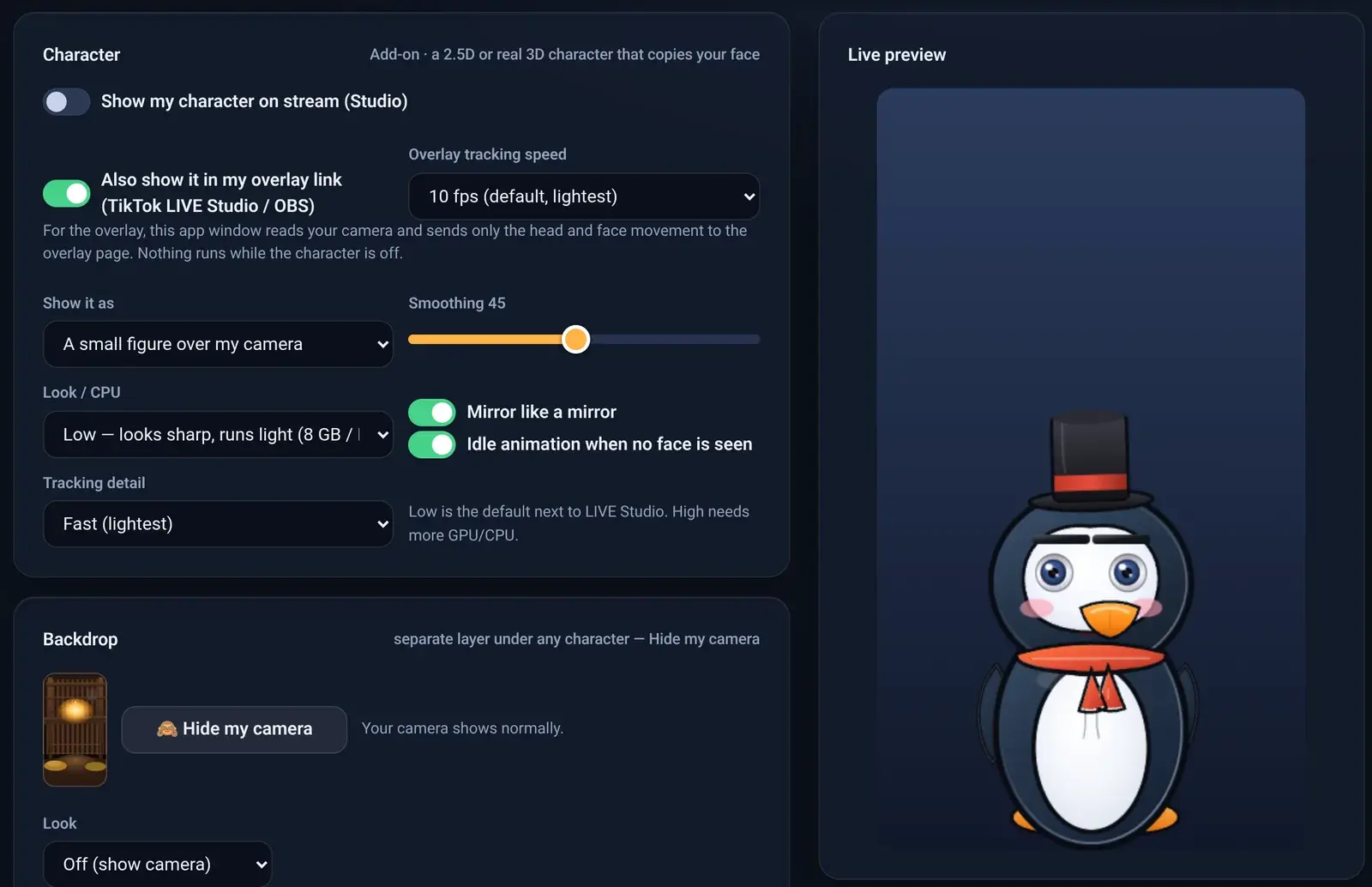
A 2D or 3D character that copies your expressions and moves around on stream.
Themes and fonts
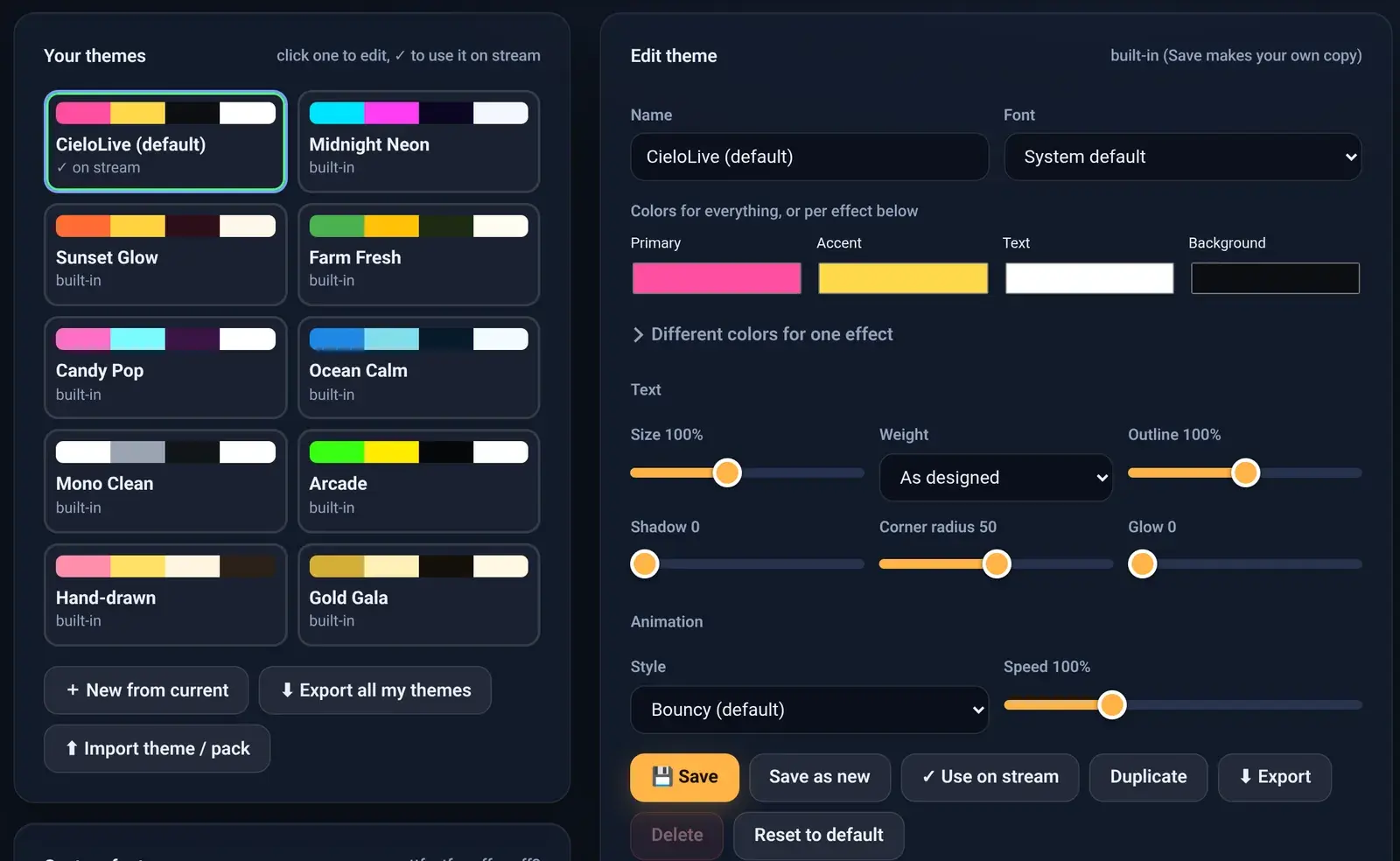
Pick a theme or your own colors and fonts, and every effect matches.
Built for long LIVEs
Tested on multi-hour streams, so you can focus on your viewers.
Made to run smoothly through long LIVEs.
If something hiccups, CieloLive gets back on track by itself.
See how your LIVE went and share a picture of it.
Run your show from your phone on the same Wi-Fi.
Stream-safe original music and one simple mix for mic, alerts and voice.
Camera and effects in one place, no OBS. Works with TikTok LIVE Studio, no stream key needed.
Install CieloLive on your Mac or Windows PC and open it.
Type your TikTok @username. No password needed.
Paste your overlay link into TikTok LIVE Studio once (Sources, +, Link). No stream key needed.
Available now On the App Store and Google Play
A companion app for going LIVE from your phone. Chat and gifts are read aloud, with sound alerts, on iPhone, iPad and Android.
Chat, gifts and viewers as they happen.
Chat and gifts read aloud, so your viewers hear them too.
For creators who go LIVE straight from their phone.
Free, with in-app purchases.
Plans
Start with a Free plan that actually goes the distance. Unlock more when your LIVE is ready for it.
$0
Free forever, no card needed
$9/mo
For the everyday streamer
$14/mo
For streamers going all in
+$6/mo
Add-on for Base
Download free, upgrade inside the app
CieloLive runs on your Mac or Windows computer
Open cielolive.com on your computer to download it. Save the link for later:
cielolive.com
Version 0.3.26 · macOS 12+ · Windows 10/11 (64-bit)
Windows: if you see “Windows protected your PC”, choose More info, then Run anyway. Step-by-step install help is below.
After checkout, choose Activate my purchase on the Plan page in the app and enter the code it shows.
Want to try first? In the app, open Plan and choose Try Pro free for 7 days. No card needed. If you subscribe here, Base and Pro start with 7 days free (card needed, nothing charged if you cancel before day 7). Prices in US$. Taxes where they apply. Cancel any time.
Terms · Privacy · Refunds · Legal · © 2026 Cielo Hermosa, LLC
Double-click the CieloLive .dmg file in your Downloads folder.
Drag the CieloLive icon onto the Applications folder in the window that opens.
macOS asks once: “CieloLive is an app downloaded from the Internet. Are you sure you want to open it?” Choose Open. CieloLive is checked by Apple, so this is the normal first-open question.
If your browser says the file isn’t commonly downloaded, open the downloads list, choose ⋯ next to the file, then Keep. If it asks again, choose Show more, then Keep anyway.
When you open CieloLive-Setup, Windows may show “Windows protected your PC”. Choose More info, then Run anyway. This appears because the Windows installer isn’t code-signed yet.
Choose Yes if Windows asks to allow changes, then follow the steps. CieloLive opens when it finishes.
If Windows Defender Firewall asks, tick Private networks and choose Allow access. This lets your overlay and phone remote reach the app on your own Wi-Fi.
Pick a plan on the Plan page in the app. After checkout, choose Activate my purchase: the app shows a short code. Enter it on the page that opens, signed in with the email you paid with.
Want every Pro feature first? Choose Try Pro free for 7 days on the Plan page. No card needed.
A Free plan that is genuinely useful, and monthly paid plans you can cancel any time.
New from Cielo Hermosa: Cielo Clash
Cielo Clash gives agencies and creators brackets, rule presets, live scores and referee review, right in the browser.
Single elimination, double elimination or a Royal Rumble. The bracket moves forward as battles finish.
Save rule presets once, then follow live scores while every round runs the same way.
Check or fix a result before it counts, and send fans a link to follow the bracket. Light and dark mode.
US$0
Try it with a small bracket
US$29one time
One full tournament, paid once
US$49/month
For agencies that run events often
US$9/month
For creators who join agency events
Cielo Clash is an independent product by Cielo Hermosa, LLC. It is not affiliated with, endorsed by or sponsored by TikTok.
← Cielo Hermosa farmPrivacy: the Meta Pixel loads only if you accept cookies. Privacy policy